Latest posts

Order custom bent sheet metal online | SuissePliage Configurator

Practical Guide 2026

Order your custom bent sheet metal
in just a few clicks

2 April 2026
By SuissePliage
Reading time 5 min

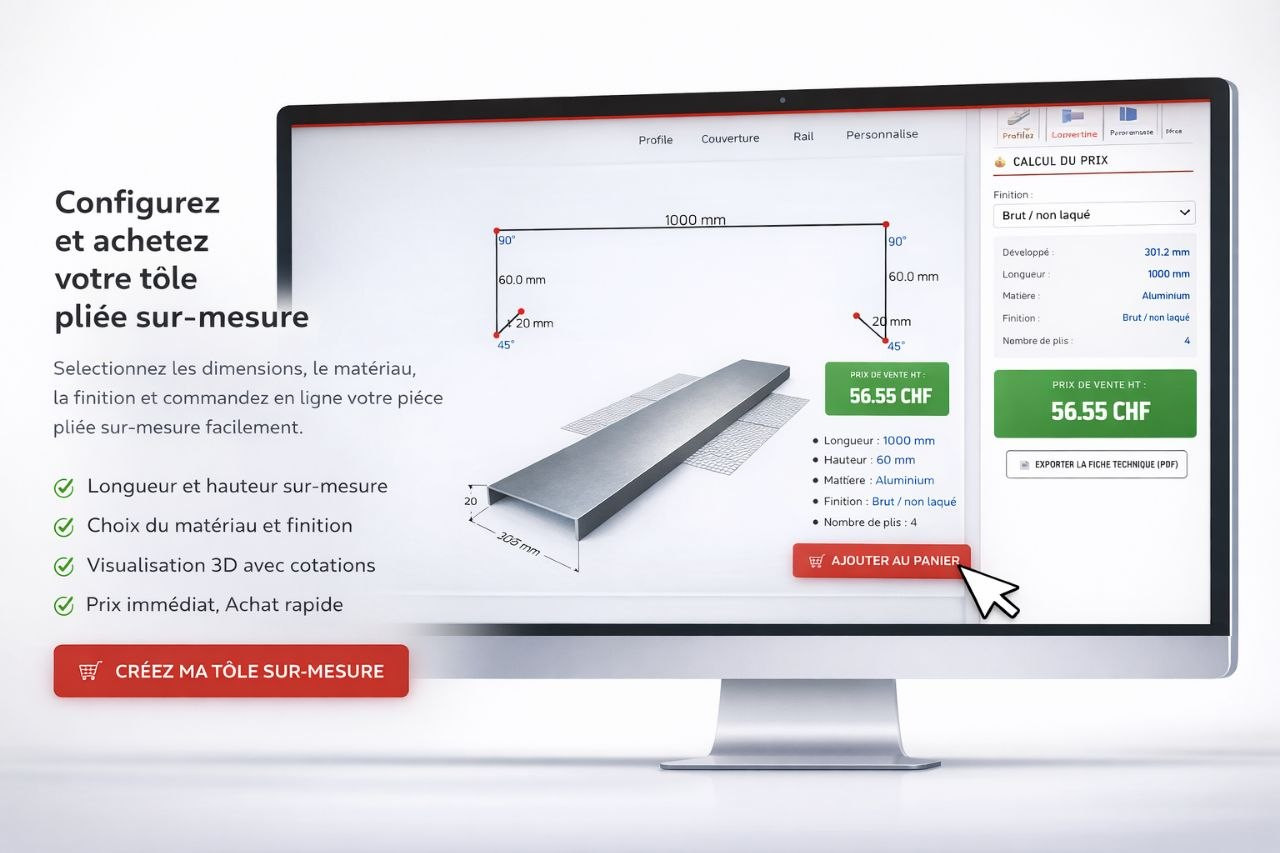
There was a time when ordering a custom sheet metal part meant back-and-forth with a workshop, sketches sent by fax and a week's wait for a quote. Today, the SuissePliage configurator changes everything: in just a few minutes, you choose from around twenty predefined profiles, adapt the dimensions to your project, visualise the result in 3D and place your order — without picking up the phone.

Why the configurator changes everything

Custom sheet metal work has long been seen as a domain reserved for professionals. Complex measurements, angles to specify, materials to choose — all steps that discouraged private individuals or small tradespeople from ordering directly online.

The SuissePliage configurator was designed to remove these barriers. Whether you are an architect, tinsmith, façade contractor or experienced DIYer: if you know the dimensions of your wall or parapet, you have everything you need to configure your part yourself. The tool does the rest.

?
Good to know before you start

The configurator runs directly in your browser — no installation or account required. Simply have a tape measure handy and the dimensions of your part: developed width, return lengths and desired angles.

SuissePliage sheet metal bending configurator interface — dimension input, 3D visualisation and instant price in CHF The SuissePliage configurator: choose a profile, enter your dimensions or draw directly on the canvas — the price updates in real time.

Around twenty profiles ready to customise

The configurator offers a library of predefined profiles organised by family. Simply choose the profile that most closely matches your need, then adjust each dimension to your exact measurements. Here is the full range of available profiles:

?

Basic profiles

Flat sheet, outer angle, inner angle. The fundamental shapes for thresholds, corner returns and simple protections.

?

Bending profiles

Z-fold, outer C-fold, inner C-fold, step. For offset cladding, rainscreen and façade overlaps.

?

Flashings

Simple flashing and drip flashing. Essential pieces for waterproofing at the base of façades and managing run-off water.

?

Window sills

Standard sill, profile 1 and inset sill bending. Profiles designed for window ledges with integrated returns and drip edge.

⚙️

Sections

Inner and outer U-bending, outer and inner omega, profile 2. For rails, slides, supports and technical framing.

?️

Special profiles

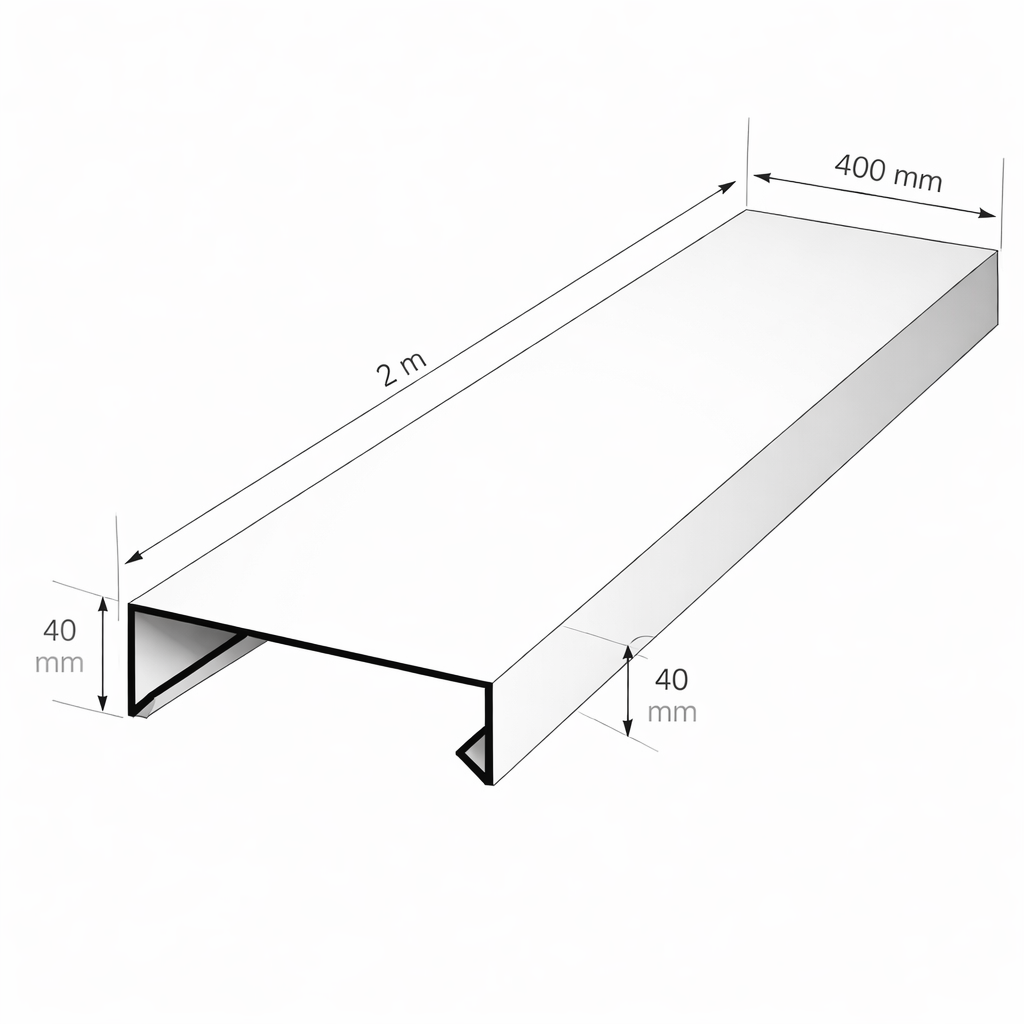
Coping and other capping pieces. To protect the top of walls, parapets and low walls with a profile suited to each wall width.

And if no predefined profile exactly matches your need? There is also a Custom Profile mode that lets you draw your part freely from scratch, segment by segment, with completely free angles and lengths.

Adjusting dimensions: type or click-and-drag

Once your profile is selected, it appears on the canvas with its default dimensions. The interface is designed so that every change is intuitive — two methods coexist and complement each other:

1

Click a segment to edit it

Click directly on a segment of the part on the canvas: the corresponding input field immediately highlights in the right-hand panel. You know exactly which dimension you are changing. Enter the desired value — the part redraws instantly.

2

Click a field to locate the angle

Conversely, if you click on an angle field in the panel, the corresponding angle highlights on the canvas. No more confusion between the different bends of a complex part.

3

Drag directly on the canvas

Prefer to work visually? Grab a point or segment on the canvas and drag to adjust the dimension. Dimensions and price update in real time with every movement.

4

Choose material, thickness and RAL finish

Select the material (aluminium, galvanised steel…), thickness and desired finish. The 3D render updates with the chosen RAL colour from over 200 available shades.

What you get before you even order

This is where the SuissePliage configurator truly stands out. Before confirming anything, you already have everything you need to decide with confidence:

?

Instant price in CHF

The pre-tax price is displayed and recalculated with every change. No surprises, no waiting: you know exactly what your part costs before clicking order.

?

PDF technical datasheet

Export your part's technical datasheet in one click: full dimensions, material, finish, number of bends. A document ready to send to your client or file in your project folder.

?

Dimensioned 2D drawing

The technical 2D drawing with all dimensions is generated automatically. Check at a glance that every measurement matches what you recorded on site.

?

Realistic 3D render

The 3D view displays your part with the visual appearance of the chosen finish — RAL colour included. Ideal for validating the aesthetic integration with the façade or existing joinery.

Premium materials, made in Switzerland

All configured parts are manufactured in our Swiss workshop, in 1050 or 3003 aluminium alloy, powder-coated to Qualicoat standard — colour durability guaranteed for 10 years. Lead time: 5 to 10 working days. Delivery throughout Switzerland and Europe.

From configuration to order: under 5 minutes

Once your part is configured and the price confirmed, the order is placed entirely online. No contact form, no confirmation email to wait for: add the part to your cart, choose your delivery method and pay securely.

For private individuals

Renovating a terrace, replacing a damaged coping or protecting a garden wall? The configurator lets you order the exact part you need — even in small quantities — without going through an intermediary. The part arrives ready to install.

For professionals

Tinsmiths, roofers, façade contractors: the configurator becomes a real daily work tool. Configure each part to the drawing, export technical datasheets for the project file, place orders directly from the office or site. Tiered professional discounts up to -15% apply automatically on your pro account.

Try the configurator — it's free

No account required to get started. Choose your profile, adjust your dimensions, get your price.

▶ Launch the configurator

Frequently asked questions

Q
Do I need to create an account to use the configurator?

No, the configurator is freely accessible without registration. You can choose a profile, adjust dimensions, visualise the 3D render and get your price without creating an account. An account is only needed when finalising your order.

Q
No predefined profile matches my part — what should I do?

The configurator offers a Custom Profile mode that lets you draw your part freely from scratch, segment by segment, with completely free angles and lengths. For very complex parts, our technical team is available via the contact form for a quote within 24 to 48 hours.

Q
Is the PDF technical datasheet free?

Yes, exporting the PDF technical datasheet is completely free. It contains the dimensioned technical drawing, material, finish, thickness and number of bends. You can export it at any time, even without placing an order.

Q
Is the displayed price the final price?

The displayed price is the pre-tax selling price, calculated in real time based on your dimensions, chosen material and finish. Delivery costs are calculated separately at checkout depending on volume and destination. No hidden charges.

Q
Can angles other than 90° be configured?

Yes, all angles are free. You can type any value in the corresponding field, or adjust the angle directly by clicking and dragging on the canvas. Clicking on an angle field highlights the corresponding angle on the drawing to avoid any confusion.

Posted in: Guides & Tips

Leave a comment