
|
SuissePliage · Configurator · Measurement guide Dimensioning segments
|
| ► Start configurator | Technical constraints |
|
All segment dimensions must be stated as outside measurements |
|
Important: allow for sheet thickness when calculating parts that must fit together. |
|
01 — Orientation Segment orientation |
|
|
02 — Method Measurement according to bend angle |
|
A correct profile representation depends on the measurement point used. The method changes for an open angle above 90°.
|
|
In the configurator: enter outside dimensions; the profile and angle determine the correct reading method. For bend limitations, consult the technical information. |
|
Dimensions ready? Configure your folded part
|
|
SuissePliage · Measurement guide Dimensioning segments Measure your profile correctly before configuring. |
| Dimensions stated as outside measurements |
| Important: allow for sheet thickness in assemblies. |
Segment orientation |
|
Same direction Continuous outside dimension on each segment. |
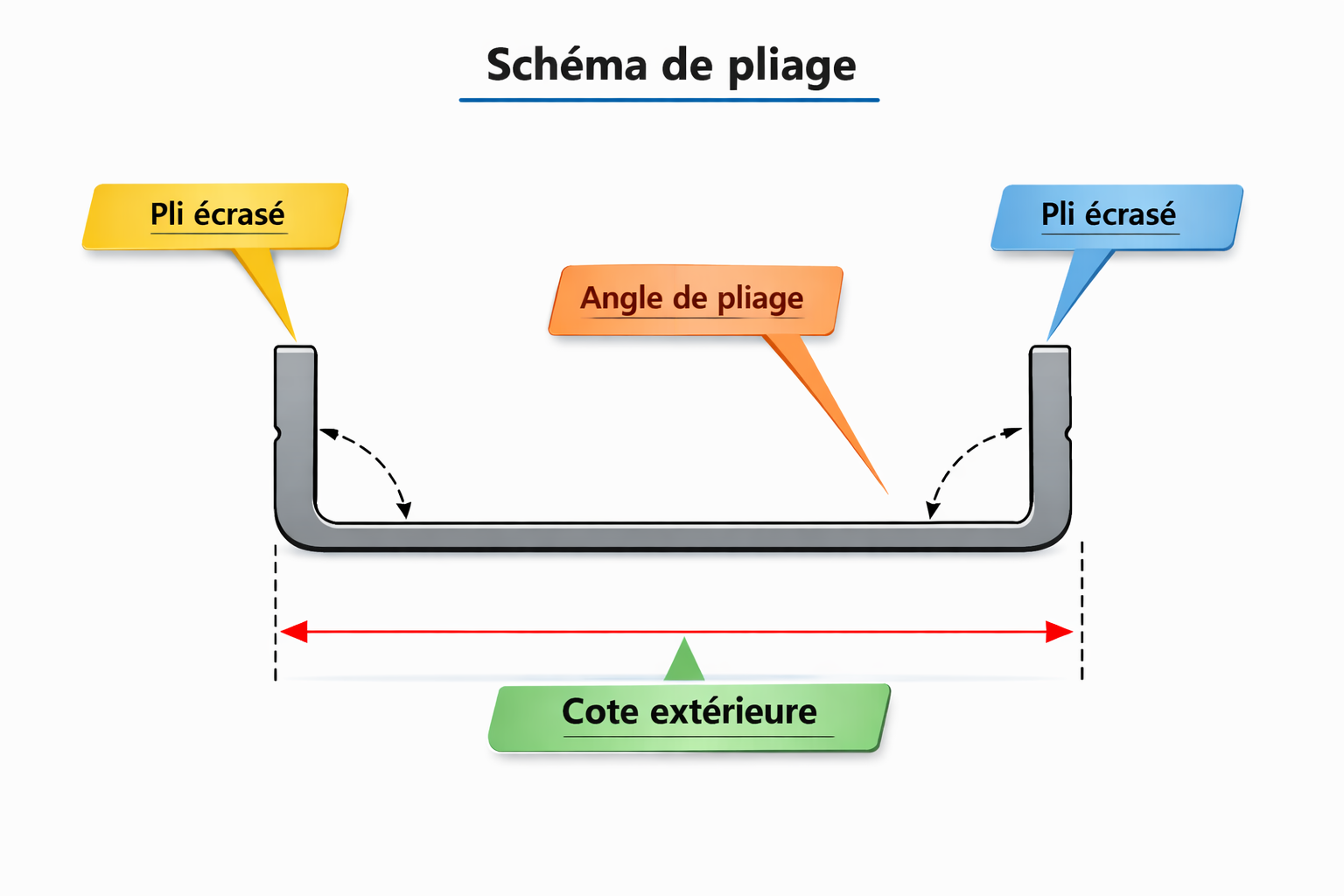 |
|
Opposite directions Outside measurement remains the reference with alternating bends. |
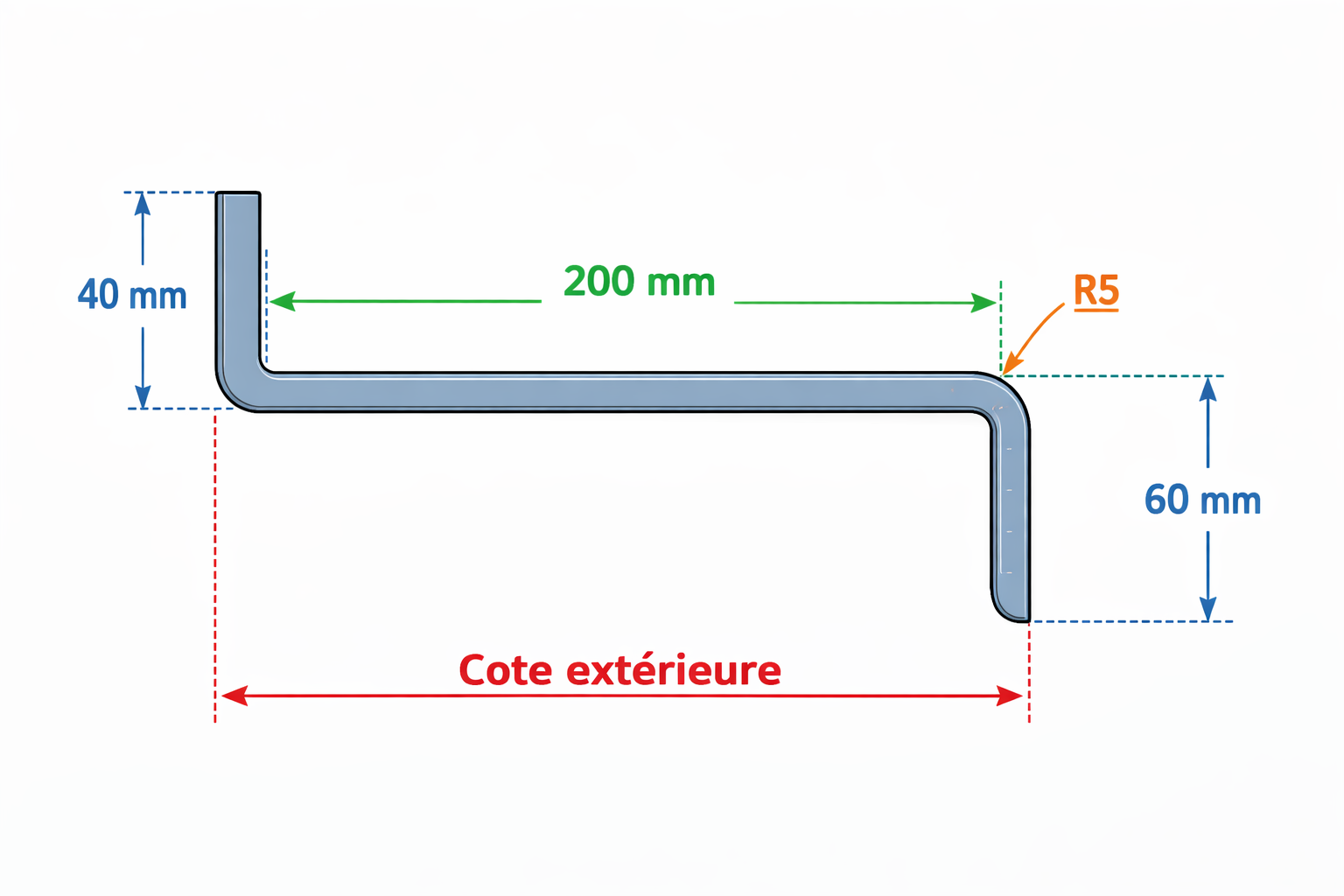 |
Measure according to angle |
| Angle ≤ 90°: direct method |
| Measure parallel to the outside face of the segment. |
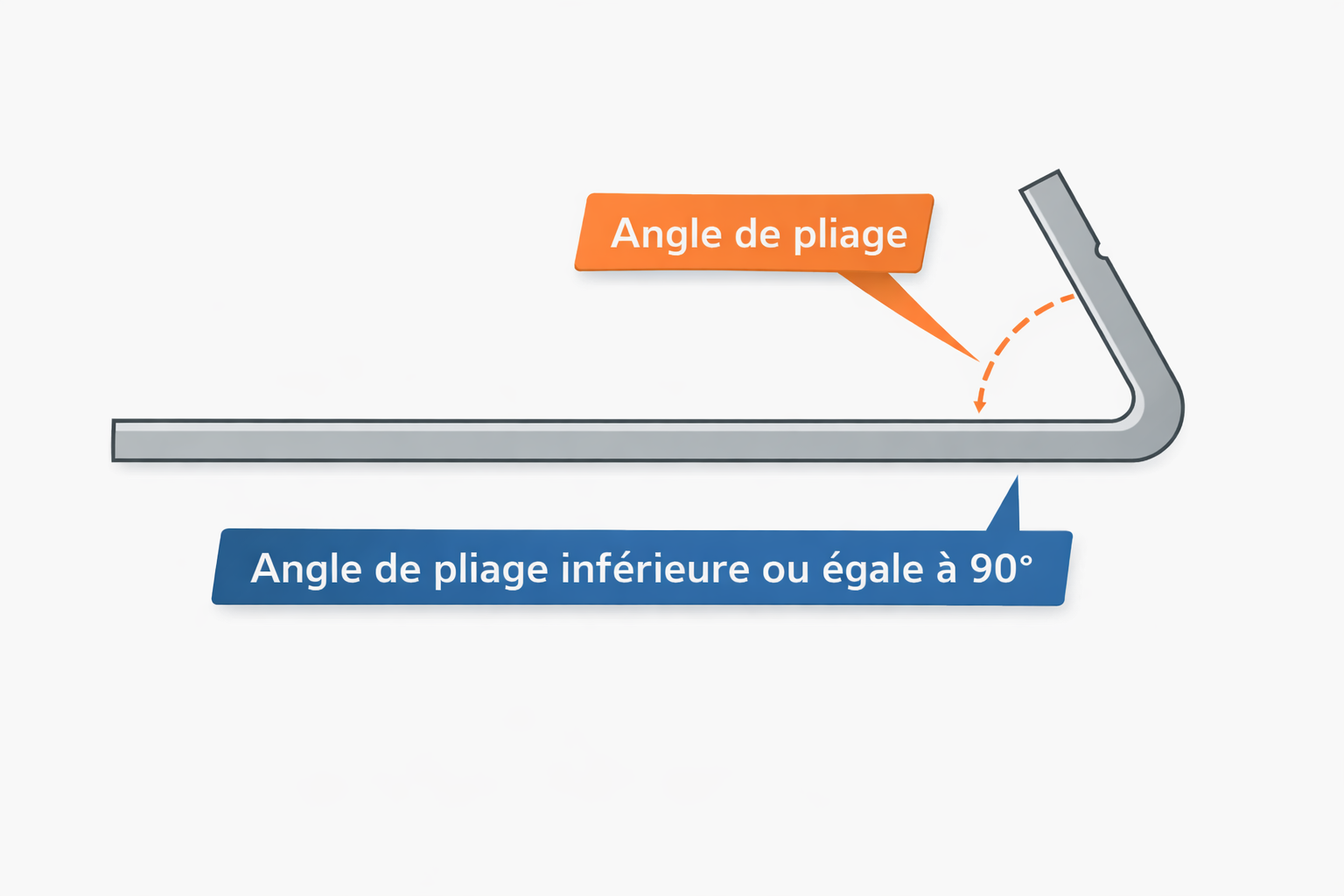 |
| Angle > 90°: apex method |
| Measure at the imaginary intersection of the extended segments. |
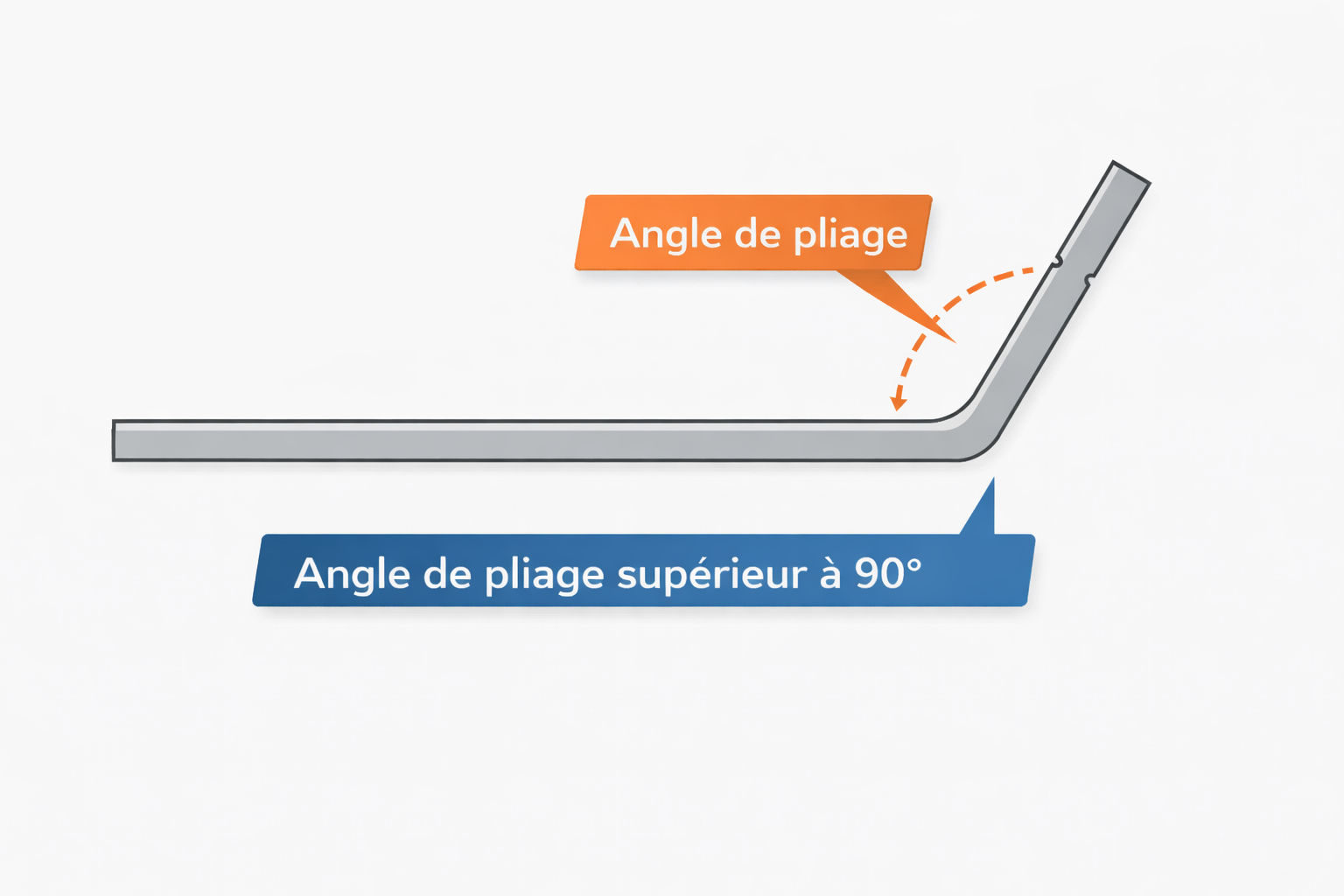 |
| Reminder: enter outside dimensions in the configurator. See the technical constraints. |
|
Configure your part
|